
Infrastructure
Why Your Docker Image Is 2GB.
By Muhammad UmarAugust 5, 20267 min readIssue #20
Your application is a few megabytes. Almost everything else in there is the workshop you built it in, shipped by accident.
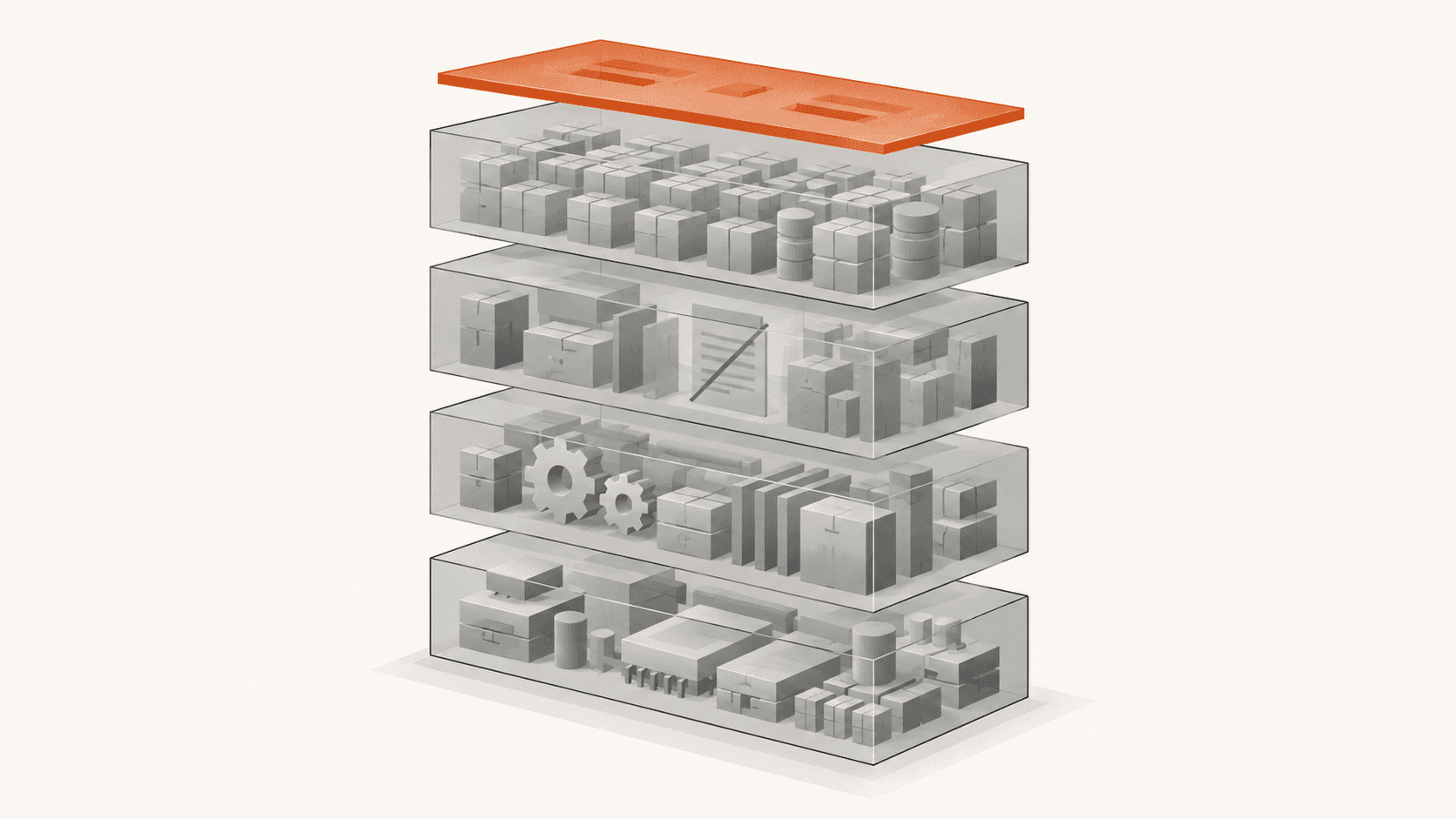
Your application is maybe eight megabytes of code. The image you deploy is two gigabytes.
Most days that costs you nothing you notice. Then it costs you a slow pipeline, a deploy that takes minutes because every node is pulling two gigabytes, and a rollback that is slow at precisely the moment you want it to be quick.
The fix is usually not clever. Nearly all of the size is one of two things: you are shipping the tools you built with, and you are shipping files you thought you deleted.
A layer records a change, and nothing ever leaves
An image is a stack of layers, each one a set of filesystem changes made by a build instruction.1 They stack in order, and each is immutable once written.
That last part is where the surprise lives. If a later layer deletes a file, the file is not removed. The layer records a marker saying the file is no longer visible, and the bytes stay where they were, in the layer underneath.
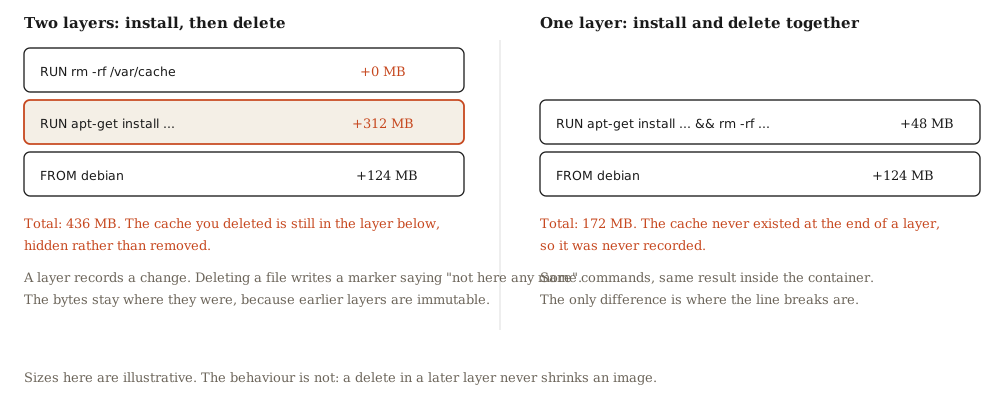
So this, which looks tidy and is a common thing to write, saves nothing at all:
RUN apt-get update && apt-get install -y build-essential
RUN rm -rf /var/lib/apt/lists/*
The package lists were present when the first layer finished, so they are in the image. The second instruction hides them from anything running inside the container while changing the download size by nothing.
RUN apt-get update \
 && apt-get install -y --no-install-recommends build-essential \
 && rm -rf /var/lib/apt/lists/*
Same commands, same container, materially smaller image, because the cache never existed at the moment a layer was recorded.
You cannot delete anything from an image. You can only avoid ever having written it down.
Where the rest of it comes from
Once you know layers only add, the usual suspects are easy to find.
The compiler and everything it needed. Build tools, header files, and the whole dependency chain of a package that exists only to produce a binary. If your production container has gcc in it and your application is not a compiler, that is dead weight with an attack surface attached.
Development dependencies. Test frameworks, linters, type definitions, and everything else installed before someone remembered the production flag. In a typical Node project this alone is often larger than the application.
Package manager caches. Every installer keeps one, every one of them is useless in a finished image, and each has its own flag or path to clean.
The build context. A COPY . . with no .dockerignore takes everything in the directory, which usually means .git with its full history, local node_modules, environment files, and whatever else is lying around.
The fix that does most of the work
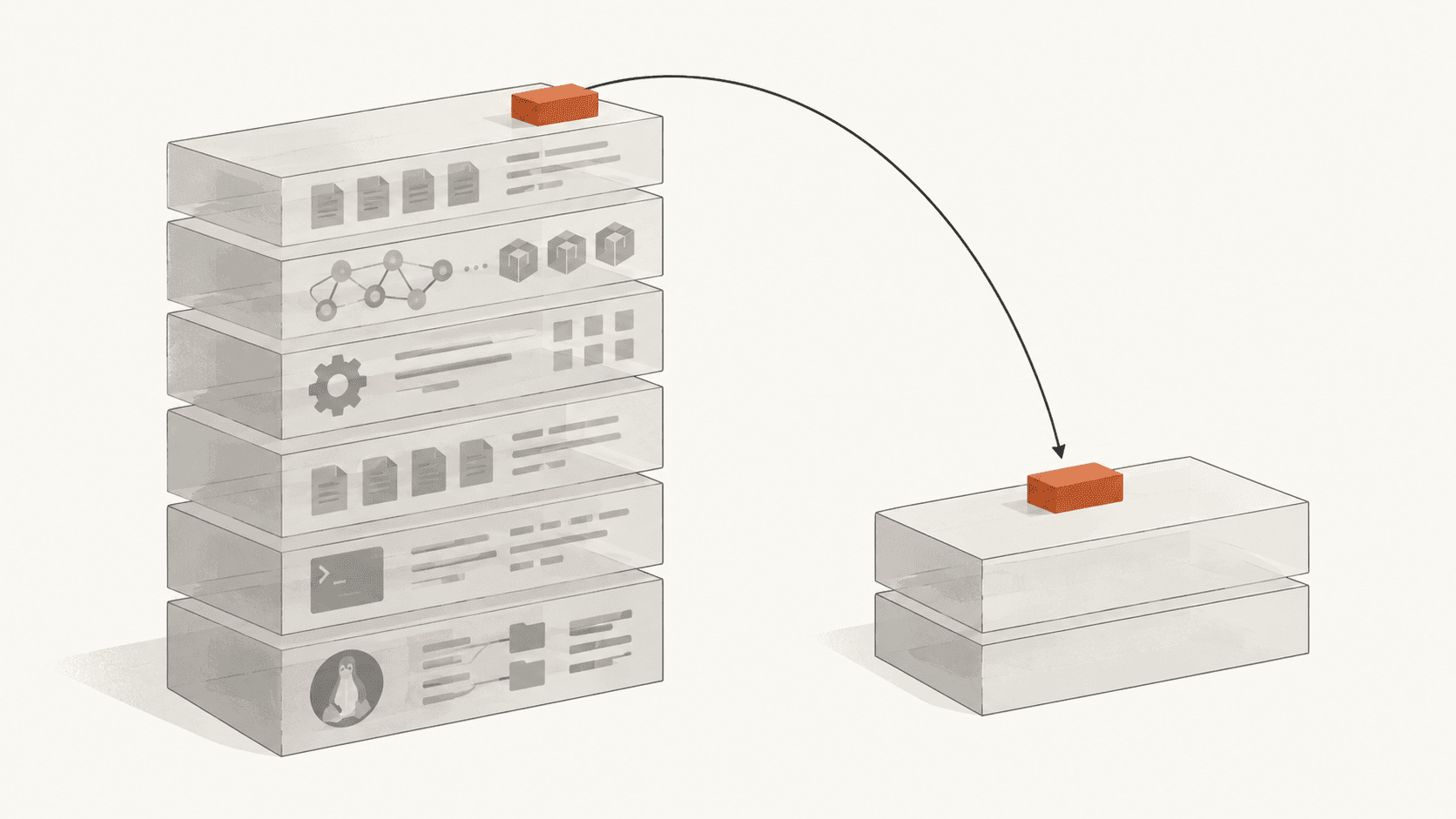
Multi-stage builds solve the largest category on their own, because they let you throw away a whole filesystem instead of trying to tidy one.2
You build in one stage with every tool you need, then start a second stage from a clean base and copy across only the finished artifact. Nothing from the first stage is in the result unless you asked for it by name.
# Stage one: everything needed to build, none of it shipped.
FROM node:22 AS build
WORKDIR /app
COPY package*.json ./
RUN npm ci
COPY . .
RUN npm run build

# Stage two: a clean base, and only what runs.
FROM node:22-slim
WORKDIR /app
ENV NODE_ENV=production
COPY package*.json ./
RUN npm ci --omit=dev && npm cache clean --force
COPY --from=build /app/dist ./dist
CMD ["node", "dist/server.js"]
The compiler, the dev dependencies, the source, and the build cache all lived in the first stage and none of them exist in what you ship.
Order your layers by how often they change
The other reason to write it this way is the build cache. Layers are reused until one of them changes, and changing a layer invalidates every layer after it.3
Copying the manifest and installing dependencies before copying your source means editing a source file does not reinstall anything. Copy everything first and every one-character change reinstalls the world.
That does nothing for image size and a great deal for how long you spend waiting, which is usually the reason anyone opened the Dockerfile in the first place.
Choose the base deliberately
The base image is often the largest single line item, and there are roughly four choices.
| Base | What you get | What it costs |
|---|---|---|
| Full distribution image | A shell, a package manager, familiar debugging | The largest starting point by a wide margin |
| Slim variant | The same libc and tooling, most extras removed | Some packages you assumed were present are not |
| Alpine | A very small base built on musl rather than glibc | Native modules may need rebuilding, and some software behaves differently |
| Distroless | Runtime and your app, nothing else | No shell, so you cannot open one to look around |
The slim variant is the right default for most people, because it removes the obvious excess without changing the C library underneath your dependencies.
Alpine is worth being careful with. It is genuinely small, and it swaps glibc for musl, which is not a drop-in equivalent. Anything that compiles native extensions may need to be rebuilt against it, and behaviour differences in areas like DNS resolution have caught people out. If your dependency tree is pure and your build is simple, it is excellent. If it is not, you can spend a week recovering the megabytes you saved.
Write a .dockerignore before anything else
This takes a minute and is the most commonly missing file in the repository.
.git
node_modules
dist
.env*
*.log
coverage
.DS_Store
It keeps files out of the build context entirely, which means they are not copied, not sent to the builder, and not sitting in a layer. Excluding .env* also stops a category of accident that matters more than size.
When this is the wrong advice
When you need to debug in production. A distroless image with no shell is small and you cannot open a terminal in it when something is wrong at two in the morning. That is a real trade and the smaller image is not automatically the better one.
When the size is not costing you anything. A service that deploys once a fortnight to three long-lived nodes does not care. Optimising it is work with no beneficiary, and a Dockerfile with two stages and careful layer ordering is harder for the next person to change.
When layers are shared anyway. Nodes that already hold a base layer only pull what differs, so ten services on one common base cost far less in practice than their individual sizes suggest. Measure the pull, not the number that docker images prints.
The takeaway
A large image is rarely a sign that your application is large. It is a sign that the container holds the environment the application was produced in, because the easiest way to build something is in a room with all the tools in it, and nobody remembered to leave the room.
So the question to ask of any line in a Dockerfile is narrow: does the thing this installs need to exist while the program is running? If the answer is no, it belongs in a build stage, and the fix is usually a dozen lines rather than a project.
Sources
- The OCI Image Specification defines an image as an ordered set of immutable filesystem layers. Deletions are recorded as whiteout entries in a later layer rather than as removals from an earlier one.
- Docker documentation, Multi-stage builds.
- Docker documentation, Build cache, on layer reuse and why a change invalidates every instruction after it.